

3.2.0
FileUpload adds drag-and-drop file upload to any server. Users upload files through an interactive UI, bypassing the LLM context window entirely. The LLM can then list and read uploaded files through model-visible tools.
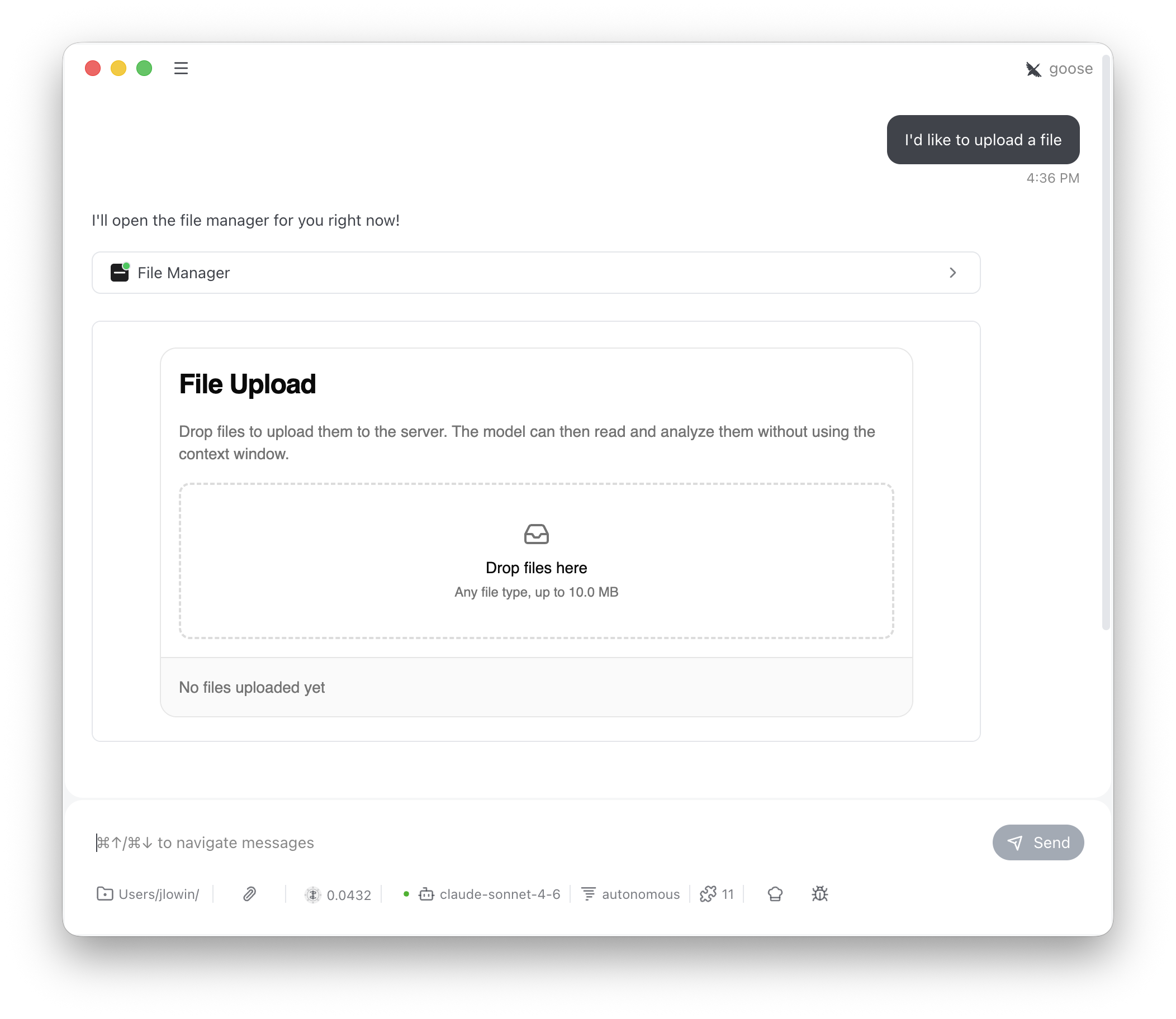
The LLM sees
file_manager, list_files, and read_file. It calls file_manager to show the upload interface, then uses list_files and read_file to work with whatever the user uploaded. store_files is app-only — the UI calls it directly and the LLM never needs to know about it.
Configuration
max_file_size limit is enforced both in the UI (the DropZone rejects oversized files) and on the server (the store_files tool validates before calling on_store).
Retention in memory
Setmax_total_size to cap the combined decoded file bytes in the default in-memory store across every session. A batch is accepted in full or rejected; replacing a filename uses the size of its final contents. This limit counts file contents, rather than base64 encoding overhead or file metadata.
Set file_ttl_seconds to expire files after a fixed age since upload. Replacing a file starts a new expiry period; reading it does not. Expired files are removed across all scopes when the default storage methods store, list, or read files. Cleanup runs on these operations, without a background timer.
None, keeping files for the server process’s lifetime without an aggregate size limit. max_total_size accepts a nonnegative integer; file_ttl_seconds accepts a positive, finite duration. These controls apply to the default in-memory methods. If you override the storage methods, your implementation sets its own retention policy.
Storage scoping
By default, files are stored in memory and scoped to the client that uploaded them, so one client’s files aren’t visible to another. How FastMCP identifies that client depends on the protocol version the connection negotiated. On a handshake-era connection (mode="legacy", or a client that predates MCP 2026-07-28), files are scoped by MCP session ID. This works with stdio, SSE, and stateful HTTP transports, where sessions persist across requests.
MCP 2026-07-28 connections, which FastMCP clients negotiate by default, have no session. Files are scoped to the authenticated user instead, the same identity UserSession uses. Without authentication, stdio servers keep one store for the process, because a stdio server serves a single client. An unauthenticated HTTP request carries nothing that identifies its client between requests, so the default storage rejects it with an error rather than sharing files across clients. Add authentication to the server, or override _get_scope_key.
For stateless deployments, override _get_scope_key to return a stable identifier. To scope files by authenticated user, read the caller from get_access_token().
Reject the request when there is no subject to key on. get_access_token() returns None on an unauthenticated request, and subject is optional even on a valid token, since not every verifier populates it. Returning a fallback in either case would put every such caller in one shared bucket, so they would see each other’s uploads.
token.claims and validate it the same way.
For process-wide shared storage (all users see all files):
Custom storage
The default implementation stores files in memory for the lifetime of the server process. For persistent storage, subclassFileUpload and override three methods. Each receives the current Context, giving you access to session IDs, auth tokens, and request metadata for partitioning and authorization.
on_store contains name, size, type, and data (base64-encoded content). The return value from on_store and on_list should be a list of summary dicts with name, type, size, size_display, and uploaded_at fields — these populate the file list in the UI.
on_read returns a dict with file metadata and either content (decoded text) or content_base64 (a base64 preview for binary files).